
Tuesday, 29 April 2014

Tuesday, 22 April 2014


Cover Process


1. I created the masthead by taking a font from the internet, screenshotting the lexis and importing it into photoshop.

2. I imported the image into photoshop.


 3. To enhance her features, I used the brush tool in black on overlay to darken certain areas and make them more prominent.
 4. Like the masthead, I took a screenshot of a font that I liked with the lexis that I chose to incorporate and imported it into photoshop. I then got rid of the background with the magic wand tool and changed the colour to white with the levels tool.
 5. I repeated step 4, but used the colour picker tool to find an appropriate colour from the background, selected the text I wanted to change and used the brush tool over it. I also made some of it smaller.
 6. A barcode was necessary to incorporate, so I screen-shotted one from the internet and added my own text box with the pricing on it.
7. The last step was to add the month the the side of the masthead.

Contents Process
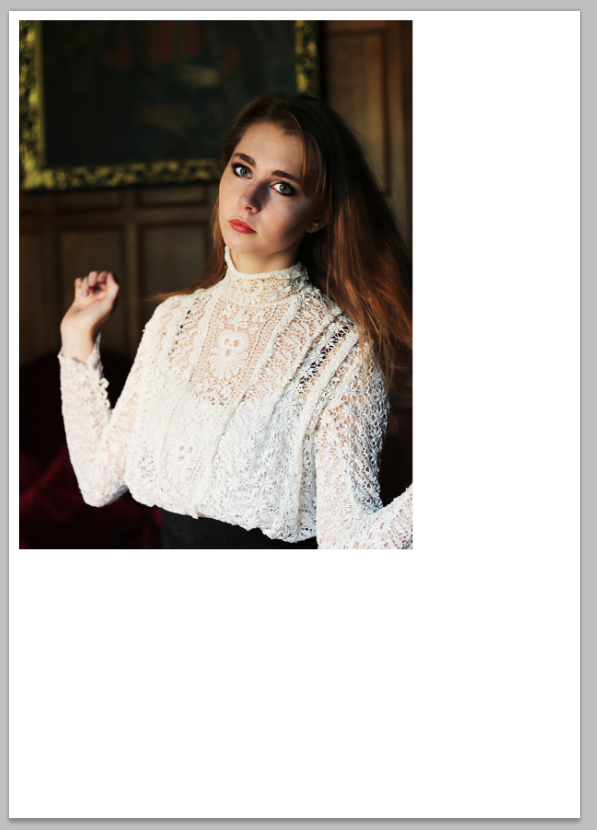
1. I imported the chosen photo onto an A4 document in Photoshop.

2. I then took the masthead from my magazine and placed it on the painting in the background to make it look as though it is almost part of the place.

3. It overlapped onto her head, so I rubbed out the part that did not look quite right.
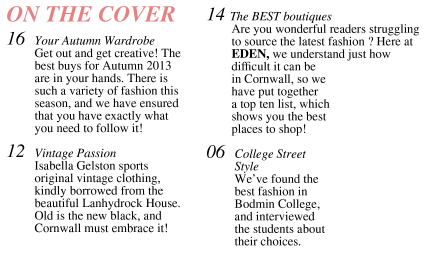
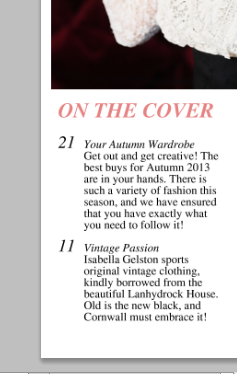 4. The next step was to add my text using the text tool. Some was in bold, some was in italics. I did the page numbers separately, as I wanted to make the larger than the rest of the text and it was easier to form them on a new layer.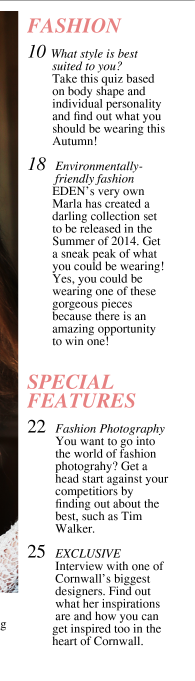

6. In the empty space, I added a black box using the shape too and filler, then laid a white one over the top.

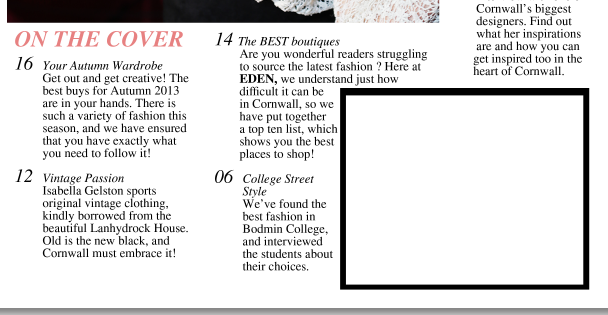 7. I then added text using the text box, saying 'editors note'.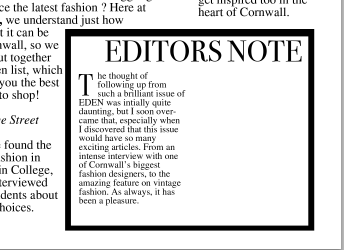
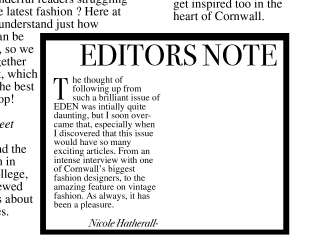 8. The next thing to do was to fill this box with something that was relevant to the magazine as a note from the editor. I used the text box to do this, and on a separate layer, I created a 'T', to make larger than the rest of the text in order for it to stick out and tell the reader exactly where to start reading.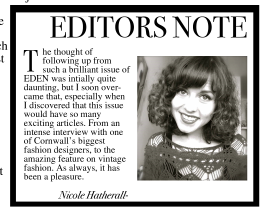
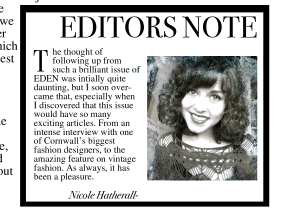 9. A common convention of editors notes is that a picture of the editor is included, so I imported a photograph of myself into photoshop and resized it to fit into the box.
10. I also created a new text box to add my name to the bottom of the note.

11. To ensure it was quirky and not overly boring, I added a smoke effect by downloading smoke brush tools and using the brush tool to paint the smoke on.

12. In the bottom right corner of the main image, I added the article name and page number via the text tool, and put 'passion' in italics.
Feature Process

1. I imported the feature photograph into photoshop onto an A3 document

2. I duplicated the layer, and adjusted the brightness and contrast.

3. I then put a filter on the layer in hope that it would airbrush the model in a realistic manner, but it did not so I undid this.

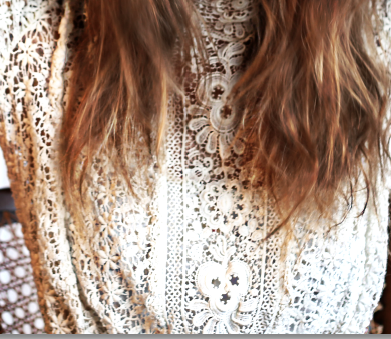
4. As the detail in the garment was not overly prominent, I used the brush tool on a low opacity and in black to bring out the shadows and enhance the detail. 

 5. I enhanced the iris colour with the brush tool on a low opacity, overlay and white.
6. I used the gradient tool to fill in the blank space to the left and made it black.
 7. As the model had spots, I used the spot healing tool to fix this.
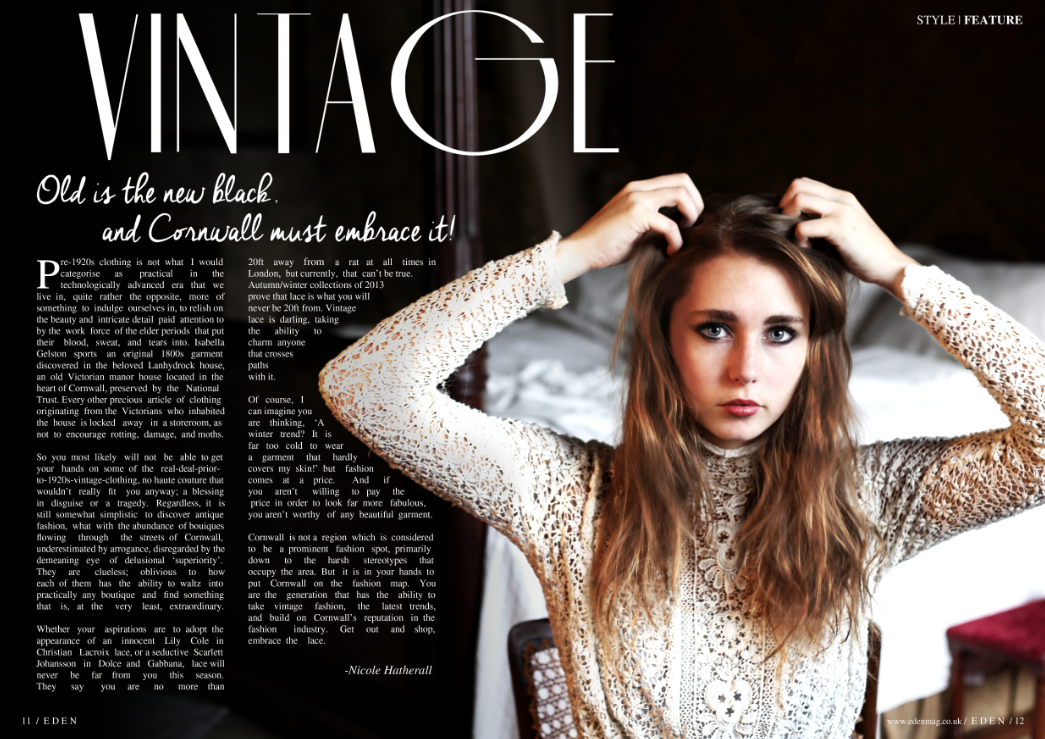
8. I added text at the top of the page, half in bold.


9. In both bottom corners, I added the necessary info, such as the website name and page numbers, with the text tool.

10. The feature heading was a screenshot of a font that I found on the internet and I imported it onto my feature spread.

11. I did the same as step 10 with the subheading

12. I added text onto the page and adjusted it to fit around the models arm. I also added my name at the bottom.
Tuesday, 1 April 2014
Article
Pre-1920s clothing is not what I would categorise as practical in the technologically advanced era that we live in, quite rather the opposite, more of something to indulge ourselves in, to relish on the beauty and intricate detail paid attention to by the work force of the elder periods that put their blood, sweat, and tears into. Isabella Gelston sports an original 1800s garment discovered in the beloved Lanhydrock house, an old Victorian manor house located in the heart of Cornwall, preserved by the National Trust. Every other precious article of clothing originating from the Victorians who inhabited the house is locked away in a storeroom, as not to encourage rotting, damage, and moths.
So you most likely will not be able to get your hands on some of the real-deal-prior-to-1920s-vintage-clothing, no haute couture that wouldn’t really fit you anyway; a blessing in disguise or a tragedy. Regardless, it is still somewhat simplistic to discover antique fashion, what with the abundance of boutiques flowing through the streets of Cornwall, underestimated by arrogance, disregarded by the demeaning eye of delusional ‘superiority’. They are clueless; oblivious to how each of them has the ability to waltz into practically any boutique and find something that is, at the very least, extraordinary.
Whether your aspirations are to adopt the appearance of an innocent Lily Cole in Christian Lacroix lace, or a seductive Scarlett Johansson in Dolce and Gabbana, lace will never be far from you this season. They say you are no more than20ft away from a rat at all times in London, but currently, that can’t be true. Autumn/winter collections of 2013 prove that lace is what you will never be 20ft from. Vintage lace is darling, taking the ability to charm anyone that crosses paths
with it.
Of course, I can imagine you are thinking, ‘A winter trend? It is far too cold to wear a garment that hardly covers my skin!’ but fashion comes at a price. And if you aren’t willing to pay the price in order to look far more fabulous, you aren’t worthy of any beautiful garment.
Cornwall is not a region which is considered to be a prominent fashion spot, primarily down to the harsh stereotypes that occupy the area. But it is in your hands to put Cornwall on the fashion map. You are the generation that has the ability to take vintage fashion, the latest trends, and build on Cornwall’s reputation in the fashion industry. Get out and shop, embrace the lace.
So you most likely will not be able to get your hands on some of the real-deal-prior-to-1920s-vintage-clothing, no haute couture that wouldn’t really fit you anyway; a blessing in disguise or a tragedy. Regardless, it is still somewhat simplistic to discover antique fashion, what with the abundance of boutiques flowing through the streets of Cornwall, underestimated by arrogance, disregarded by the demeaning eye of delusional ‘superiority’. They are clueless; oblivious to how each of them has the ability to waltz into practically any boutique and find something that is, at the very least, extraordinary.
Whether your aspirations are to adopt the appearance of an innocent Lily Cole in Christian Lacroix lace, or a seductive Scarlett Johansson in Dolce and Gabbana, lace will never be far from you this season. They say you are no more than20ft away from a rat at all times in London, but currently, that can’t be true. Autumn/winter collections of 2013 prove that lace is what you will never be 20ft from. Vintage lace is darling, taking the ability to charm anyone that crosses paths
with it.
Of course, I can imagine you are thinking, ‘A winter trend? It is far too cold to wear a garment that hardly covers my skin!’ but fashion comes at a price. And if you aren’t willing to pay the price in order to look far more fabulous, you aren’t worthy of any beautiful garment.
Cornwall is not a region which is considered to be a prominent fashion spot, primarily down to the harsh stereotypes that occupy the area. But it is in your hands to put Cornwall on the fashion map. You are the generation that has the ability to take vintage fashion, the latest trends, and build on Cornwall’s reputation in the fashion industry. Get out and shop, embrace the lace.
Subscribe to:
Posts (Atom)